BIM managers
Worksets, shared parameters, view templates, and purge tools that match how you already keep a standard - including transfer between open projects.
✚ Annon App for Autodesk Revit
38 tools for the work Revit already makes you do: sheets, views, parameters, warnings, worksets, and cleanup - without Dynamo, without leaving the model.

Lives on its own Revit tab. Same icons in the add-in and in the docs.
Each panel on the ribbon is a job: keep the model standard, document it, see what’s wrong, clean it up.

Purge leftovers, create and assign worksets, transfer view templates, bind shared parameters, and edit schedule values in a grid.

Batch-create views and sheets, place viewports, align them to a reference sheet, then rename and revalue the set.

Walk Revit warnings in the model, browse elements by parameter value, color or isolate the outliers, then clear the overrides.

Align and distribute, toggle grid and level heads, select by category or similarity, number along a path, total length.

Report property lines and shared sites from this model or a link, then export a separate NWC for each shared site.

Generate floors or ceilings from room finish parameters when the finish matches a type name or Type Mark.
Visualizer
Isolate Warnings is not another text list. It groups failing elements, lets you color or isolate them in the active view, and updates status as you resolve the model.
How Isolate Warnings works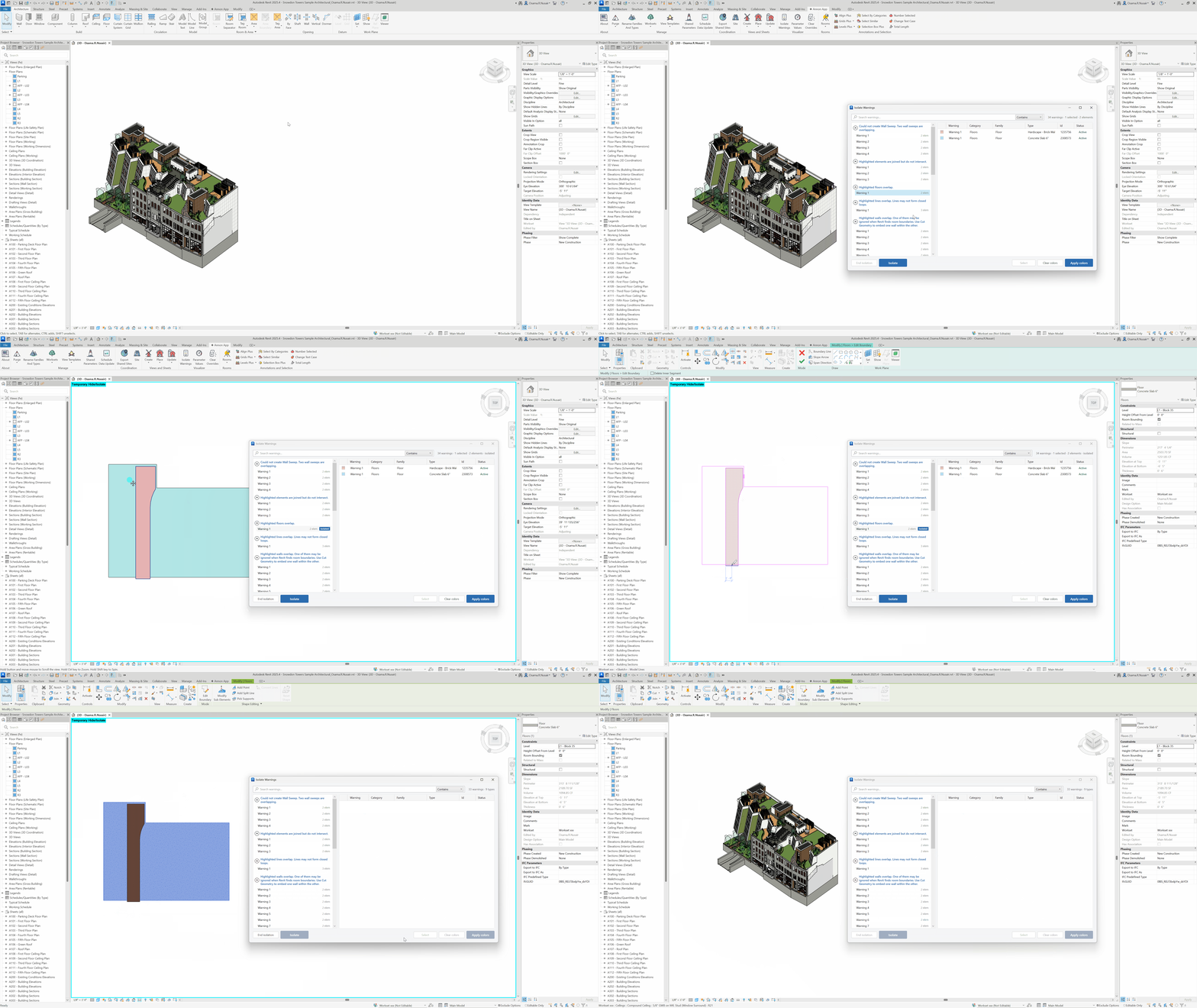
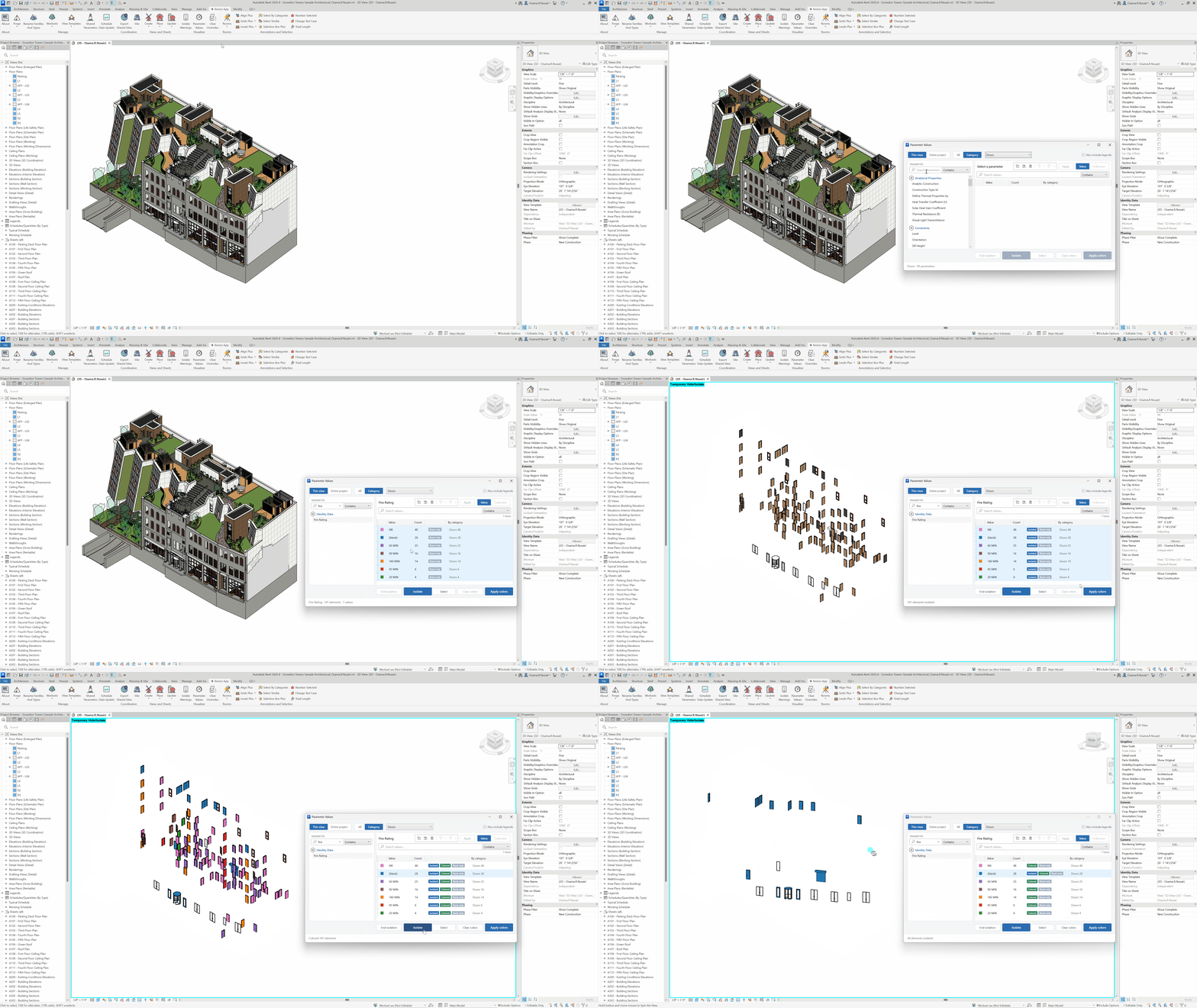
Parameter Values
Pick a parameter, see every distinct value with counts, then select, isolate, color, or write new values back. If you used to look for Override By Value, this is that tool, expanded.
Open Parameter ValuesViews and Sheets
Create views by type and level, create sheets from a grid or Excel, place views, then align viewports to a reference sheet so the set sits on the title block.
Start with Create Sheets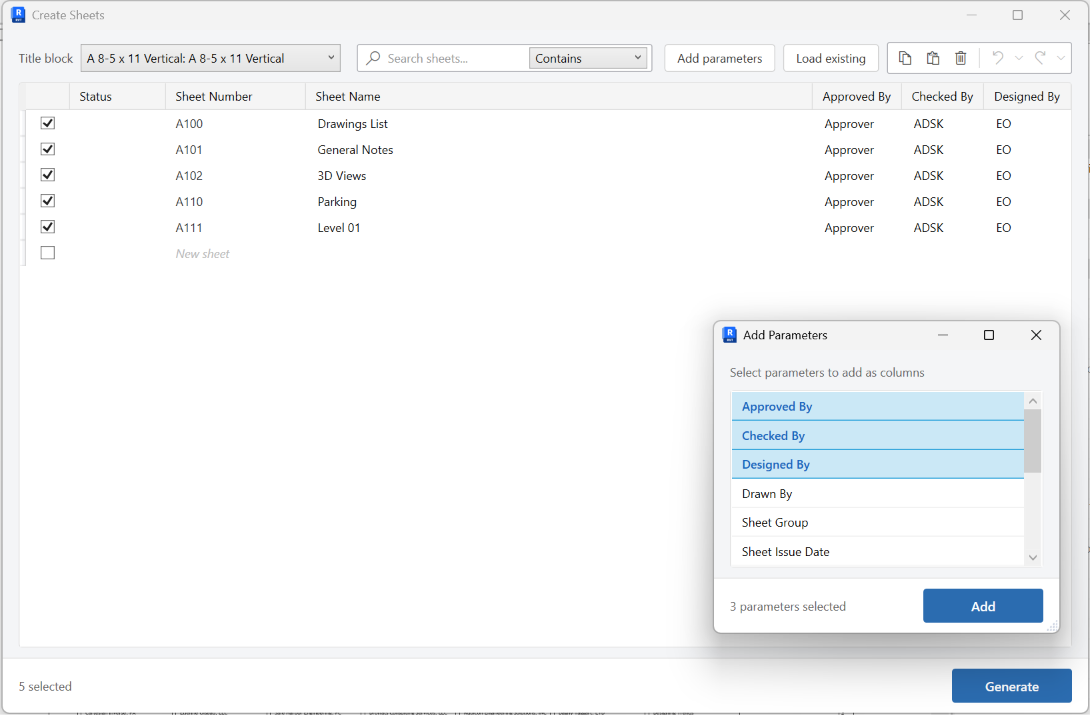
Not a novelty palette. A tab for people who issue sets.
Worksets, shared parameters, view templates, and purge tools that match how you already keep a standard - including transfer between open projects.
Batch views and sheets, viewport alignment, rename and revalue, number along a path, align annotations without babysitting Align.
Stay in the model. The windows are modeless where it matters - Align Plus, Create Components, Total Length - so you can still pan, undo, and pick.
Warnings you can see, parameters you can color, shared sites you can export to Navisworks, property-line reports you can write to a drafting view.
Register for the installer, close Revit, run it, reopen. Full how-tos for all 38 commands are in the Tools Library.