
Manage · Purge
Unused Parameters
Find project parameters that have no values on any element and unbind the ones you no longer need.
When to use it
Use this after a standards change, a family library swap, or when a model has collected parameters that nobody fills in.
Why it exists
Unused project parameters slow schedules, confuse users in the properties palette, and make shared-parameter audits harder than they need to be.
How to use it
-
Open Unused Parameters
On the ✚ Annon App tab, open Purge and choose Unused Parameters.
-
Search the list
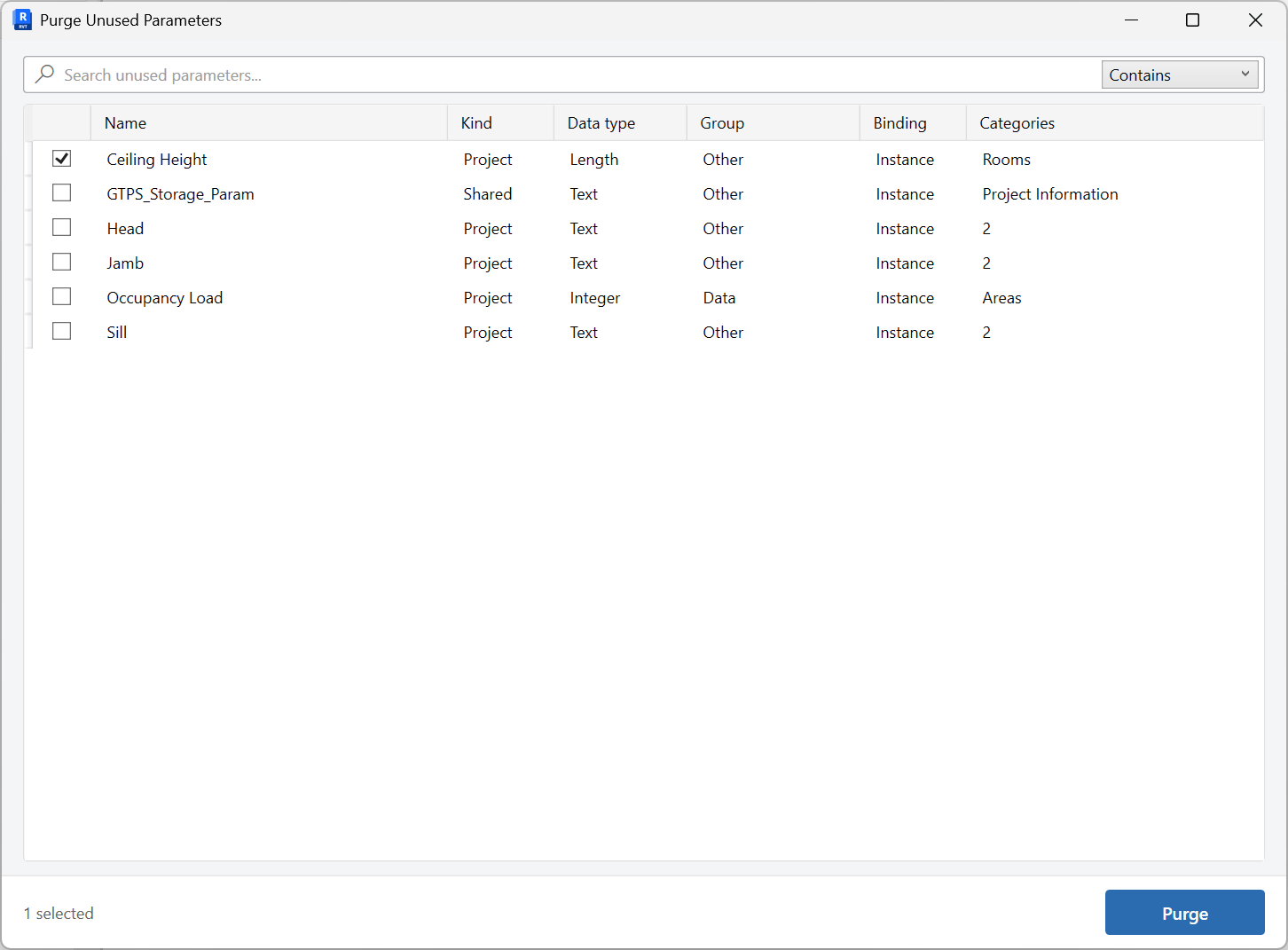
The tool shows project parameters that currently have no values on any element.
-
Check parameters to remove
Select only parameters that should not stay bound to this project.
-
Purge
Purging unbinds them from the project. Shared parameter definitions remain in the shared parameter file.
Keep in mind
- Shared parameter definitions are not deleted from the .txt file - only the project binding is removed.
- If you still need the parameter, bind it again with Shared Parameters.
Related tools
 Shared Parameters
Create shared parameters in the shared parameter file, bind them into the project, and transfer them between open projects.
Shared Parameters
Create shared parameters in the shared parameter file, bind them into the project, and transfer them between open projects.
 Schedule Data Update
Open a Revit schedule in an editable grid, change values with copy, paste, and undo, then Apply them back to the model.
Schedule Data Update
Open a Revit schedule in an editable grid, change values with copy, paste, and undo, then Apply them back to the model.
 Rename Families And Types
Batch rename families and types from a searchable grid, with optional rename rules.
Rename Families And Types
Batch rename families and types from a searchable grid, with optional rename rules.