
Views and Sheets · Update
Revalue Sheets
Batch update sheet numbers, names, and other sheet parameters from an editable grid.
When to use it
Use this when a drawing list changed, sheet numbers need a gap filled, or title-block parameters must be rewritten across the set.
Why it exists
Opening each sheet to edit the title block is how numbering collisions get into a printed set. The grid validates duplicate numbers first.
How to use it
-
Open Revalue Sheets
On the ✚ Annon App tab, open Update and choose Revalue Sheets.
-
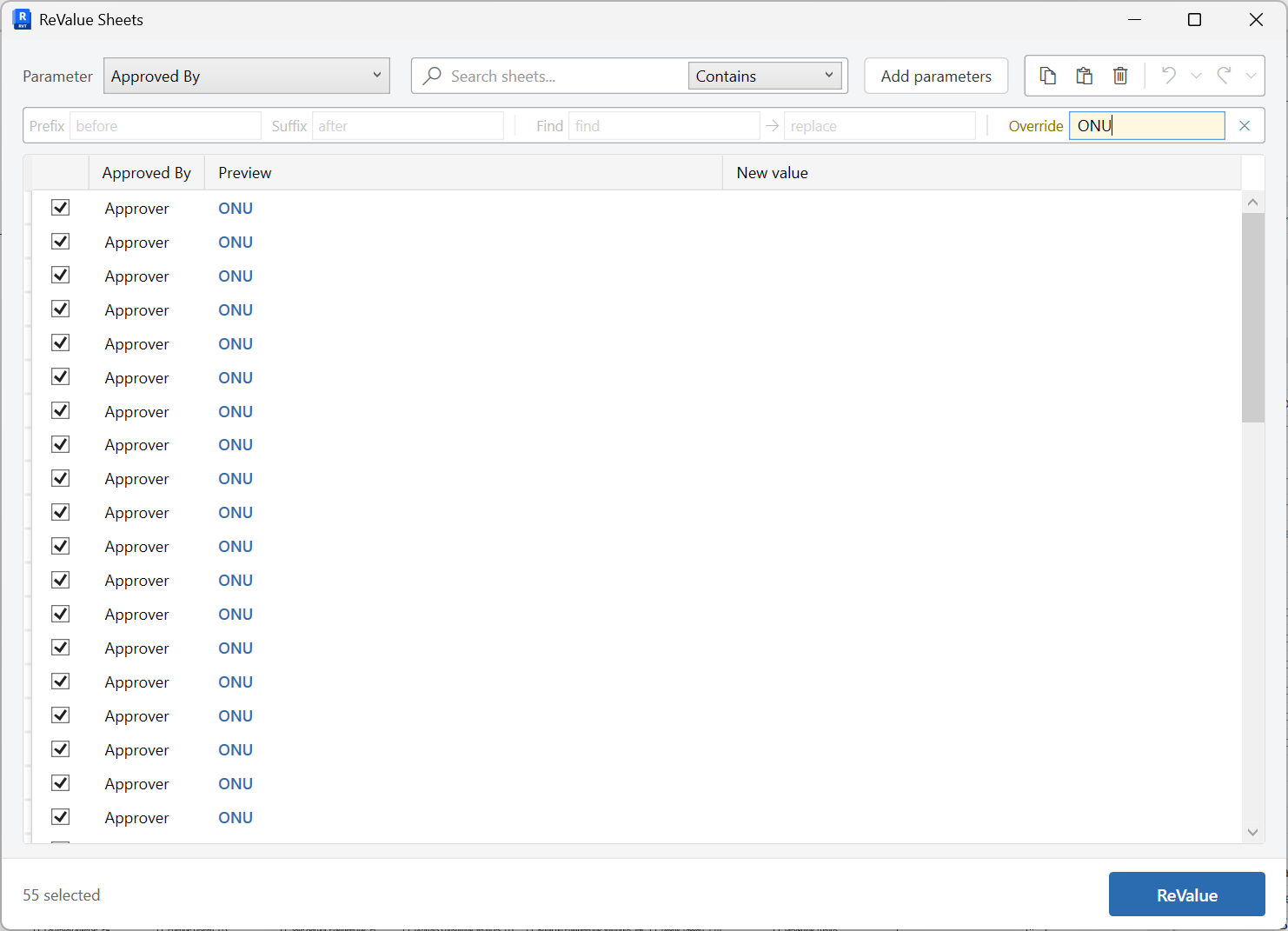
Add parameter columns
Bring in any sheet parameters you need to edit beyond number and name.
-
Edit values
Change numbers, names, and parameter cells. Duplicate sheet numbers are flagged.
-
Revalue
Write the selected rows back to the sheets.
Keep in mind
- To create new sheets rather than update existing ones, use Create Sheets.
- Schedule-driven element values (not sheet title-block fields) belong in Schedule Data Update.
Related tools
 Create Sheets
Create sheets from a grid you can edit, paste into, or fill from Excel, including extra sheet parameters.
Create Sheets
Create sheets from a grid you can edit, paste into, or fill from Excel, including extra sheet parameters.
 Schedule Data Update
Open a Revit schedule in an editable grid, change values with copy, paste, and undo, then Apply them back to the model.
Schedule Data Update
Open a Revit schedule in an editable grid, change values with copy, paste, and undo, then Apply them back to the model.
 Rename Views
Batch rename views in an editable grid, with optional parameter columns for reference.
Rename Views
Batch rename views in an editable grid, with optional parameter columns for reference.