
Annotations and Selection
Select Similar
Select elements that match a picked sample by category, family, or type, in this view or the entire project.
When to use it
Use this when you clicked one door, one tag, or one generic model and need the rest of that family or type.
Why it exists
Revit’s Select All Instances is buried and easy to run on the whole project by mistake. This tool asks for category, family, or type, and This view vs Entire project, then optionally isolates the result.
How to use it
-
Open Select Similar
On the ✚ Annon App tab, click Select Similar.
-
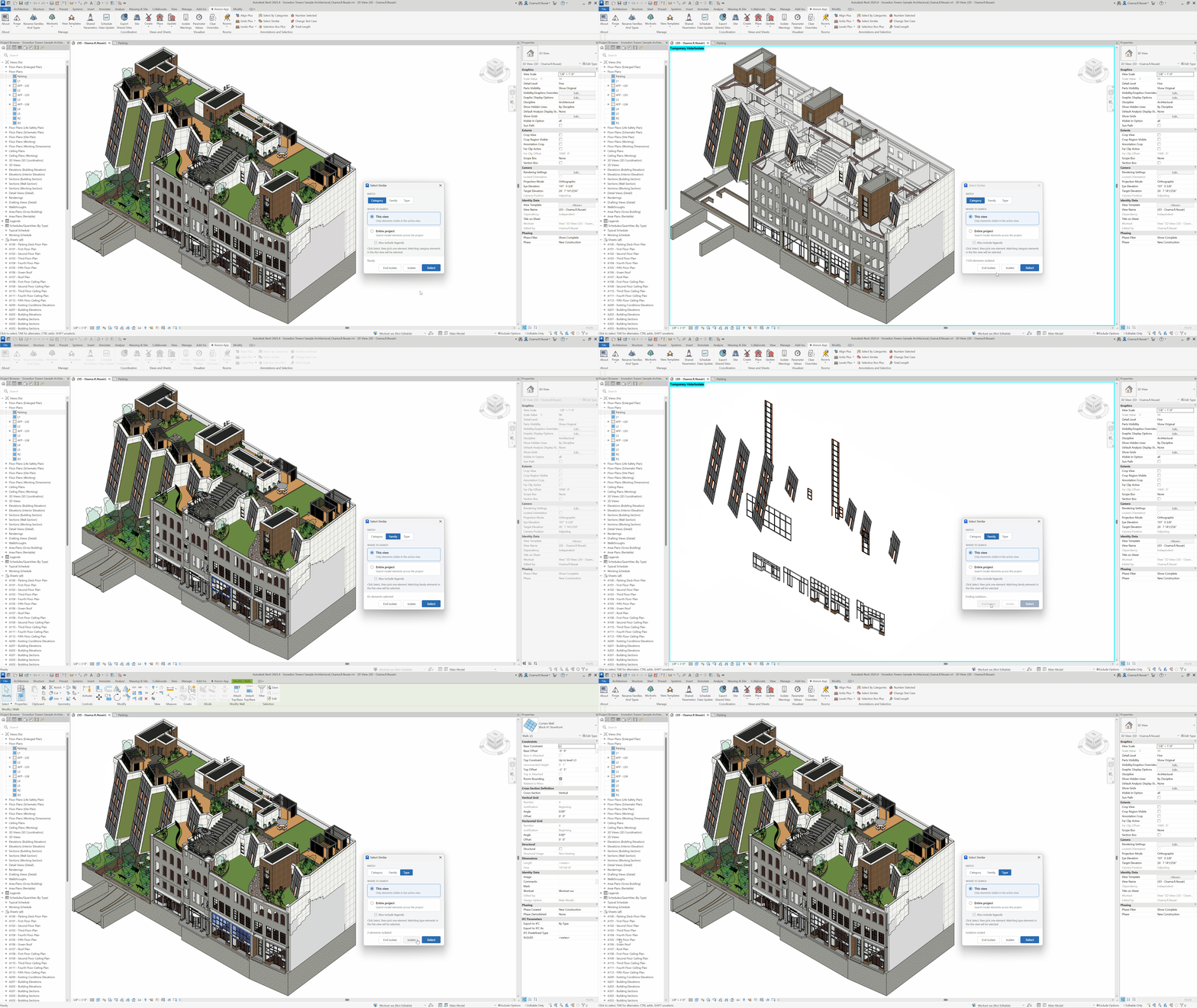
Choose scope and match
This view or Entire project, then Category, Family, or Type.
-
Pick a sample
Click one element. The matching set becomes the selection.
-
Isolate if needed
Optionally isolate the result in the active view to review it.
Keep in mind
- For mixed categories, start with Select By Categories instead.
- To box a 3D selection including links, use Selection Box Plus.
Related tools
 Select By Categories
Filter the active view by category, then pick elements of those categories.
Select By Categories
Filter the active view by category, then pick elements of those categories.
 Number Selected
Write sequential values into a chosen parameter by click order or along selected lines.
Number Selected
Write sequential values into a chosen parameter by click order or along selected lines.
 Selection Box Plus
Create a 3D section box around the current selection, including linked elements, with an optional offset.
Selection Box Plus
Create a 3D section box around the current selection, including linked elements, with an optional offset.